Atlas
An AI-powered travel planning application that turns a trip idea into a mapped, day-by-day itinerary — not just a text plan.
- Context
- Built for The Science and Strategy of Artificial Intelligence, UCLA Anderson MBA
- Role
- Team project — product and features decided as a group; I owned the prompt engineering and built the app; testing and iteration were shared
- Stack
- Node.js / Express · OpenAI GPT-4o-mini (JSON mode) · Google Maps + Places · PostgreSQL · Claude Code
- Status
- Prototype — not currently hosted
The problem
Planning a trip means stitching together dozens of fragmented decisions — where to stay, what to do and in what order, how to get between things, what it costs, what to book ahead. Maps, blogs, booking sites, and calendars each solve one slice, and the traveler is left to assemble the whole thing. Atlas does the assembly.
What I built
A web app that takes a destination (or several), dates, group size, budget, trip style, and interests, and generates a complete itinerary in a couple of minutes: day-by-day activities with timing and travel notes, an interactive map, hotel and transport recommendations, a budget breakdown, and a pre-trip checklist. Users can swap a single activity or regenerate a whole day without starting over, then save, share via link, print, or export to calendar.
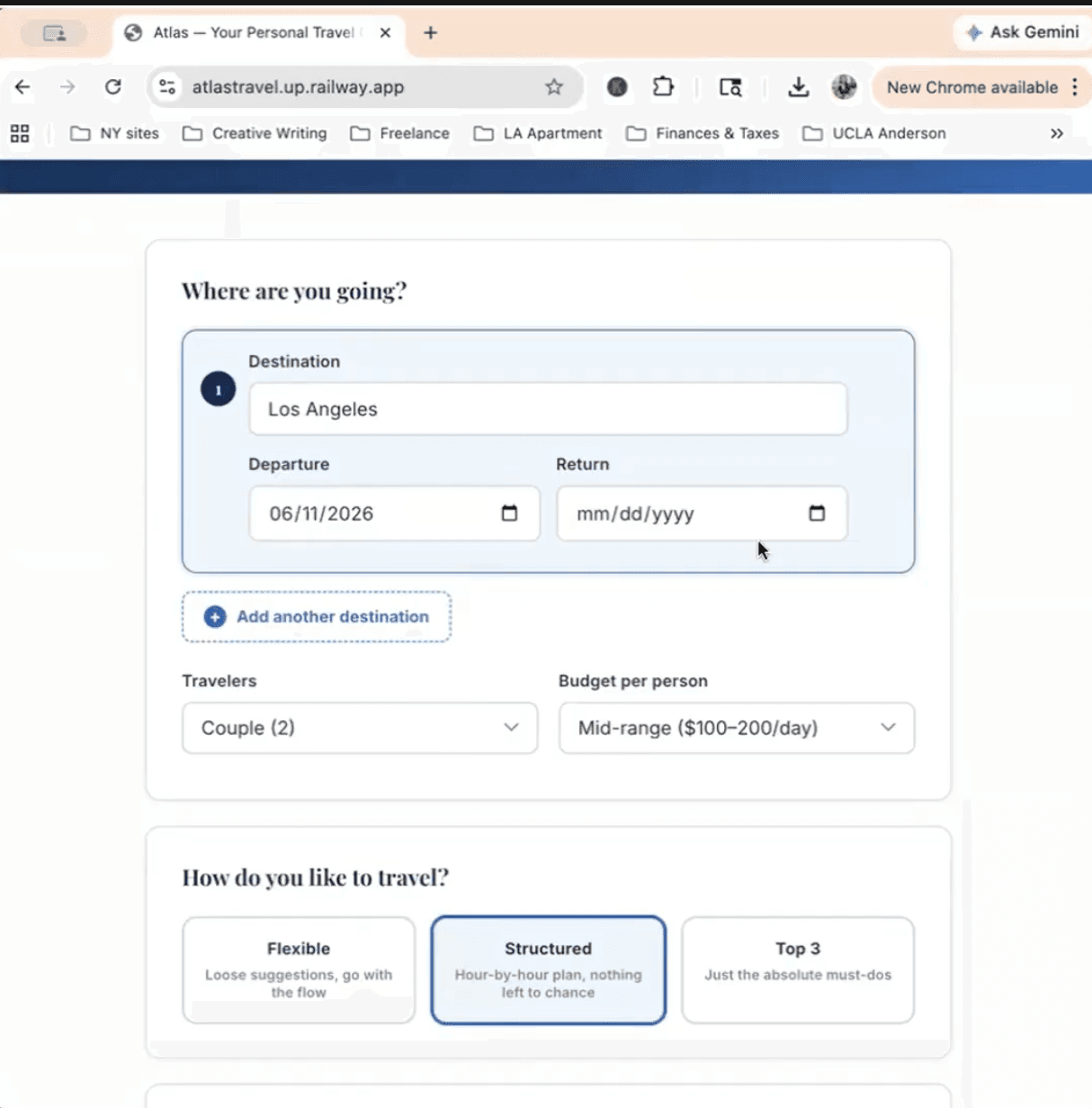
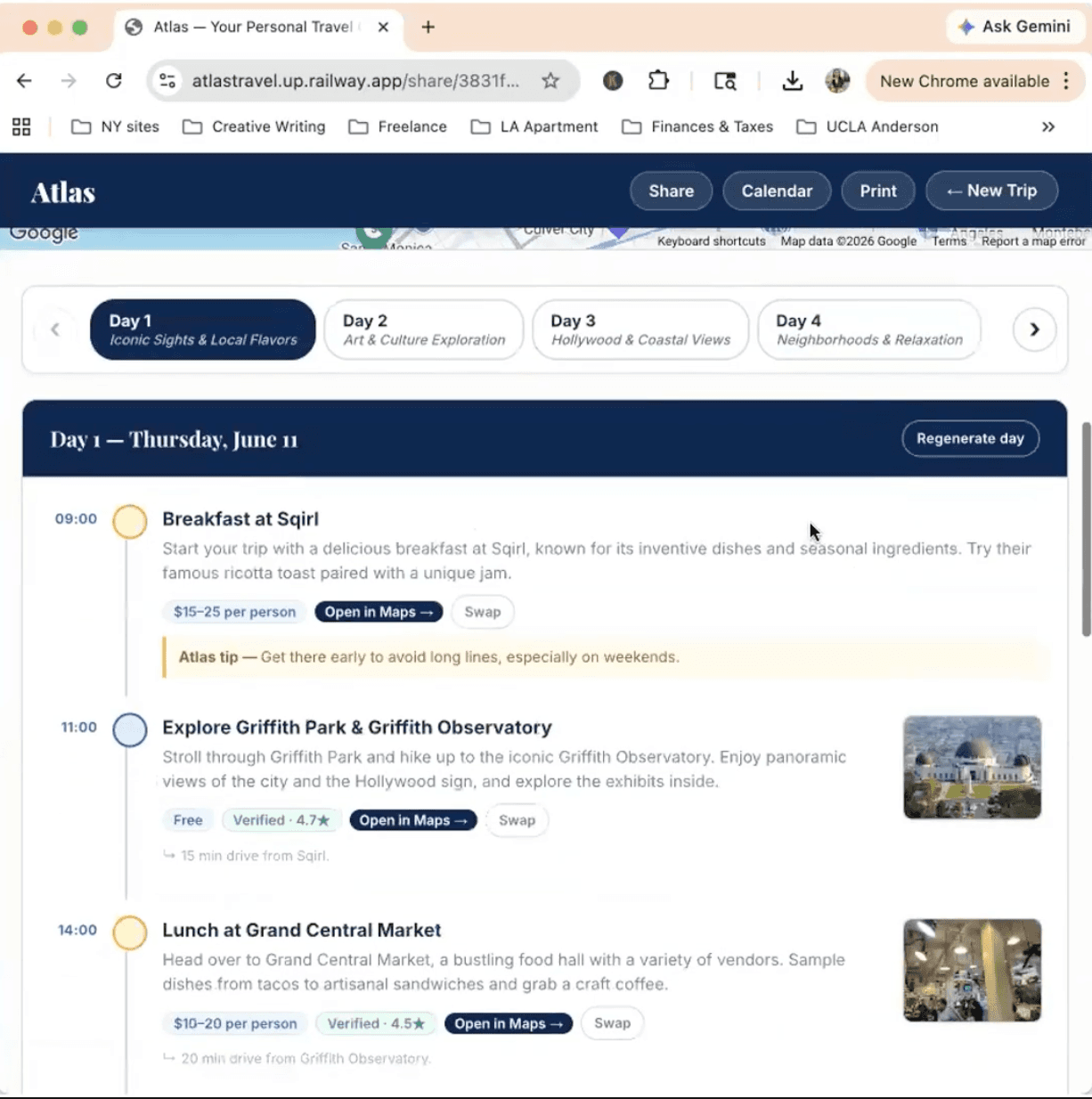
How it works
Split generation. Instead of one large prompt, the itinerary is two parallel OpenAI calls in JSON mode — a core call (days, activities, coordinates, weather) and an extras call (hotels, transport, budget, checklist). The core itinerary renders as soon as it returns; extras merge in when ready.
Validate before generating. Destinations are checked against Google Places first. A bare “Saratoga” prompts the user to disambiguate rather than silently planning the wrong city.
Enrich after generating, with guardrails. Once the plan renders, each activity is matched to a real Google Place for address, coordinates, rating, map link, and photo. Matches too far from the day's destination are rejected — Atlas would rather show fewer pins than a wrong one, and there is no stock-photo fallback.
Targeted edits over open-ended revision. Swap locks an activity's time and category and passes neighboring context so travel notes stay sensible; Regenerate Day locks the date and destination. A broad “make it less packed” revision path exists in the backend but is deliberately kept out of the UI because it is less reliable than narrow edits.
Persistence without accounts. An anonymous device ID in localStorage owns saved trips; each trip gets a short /share/:id URL that anyone can view but only the owner can edit.
Cost and reliability controls. Per-IP burst and daily rate limits, request-size caps, server-side validation of enums, date order, and trip length, and request IDs for end-to-end log tracing.
What I learned
Most of what I took away was about product design, not the model. The hard part of an LLM product isn't the generation — it's working out what the user actually needs, then simplifying to that instead of adding features because you can.
That shaped concrete calls: splitting the backend generation so the itinerary appears faster, and leaning on a few reliable edit tools — swap an activity, regenerate a day — rather than an open-ended “change anything” flow. The goal was to give a traveler exactly what they need, cleanly, not to cram in every possible feature.
What I'd improve
A real mobile polish pass; tighter loading and error handling so the full free-text revision flow can return to the UI; saved preferences, and eventually inline manual editing (rename, reorder, or retime an activity without an AI call); production error tracking; and Redis-backed rate limiting if it ever runs on more than one instance.
Note on the demo
The hosted version isn't currently running. The screenshots above are from the deployed app; the code and a full technical overview are on GitHub.